
Observe the whole journey
Bring together usage, support, feedback, engagement and commercial context instead of reviewing them in isolation.
Customer health lives in one tool. Support friction lives in another. Feedback sits in conversations. Product usage has its own dashboard. CX Lab connects those signals into one operating view — so your team can understand what is changing, why it matters and what to do next.
Not another dashboard. A decision layer for CX, Customer Success, Support and leadership.
The Command Center brings maturity, risk, customer signals and priority actions into one workspace. The point is not to show more data. It is to show the relationships between the data.
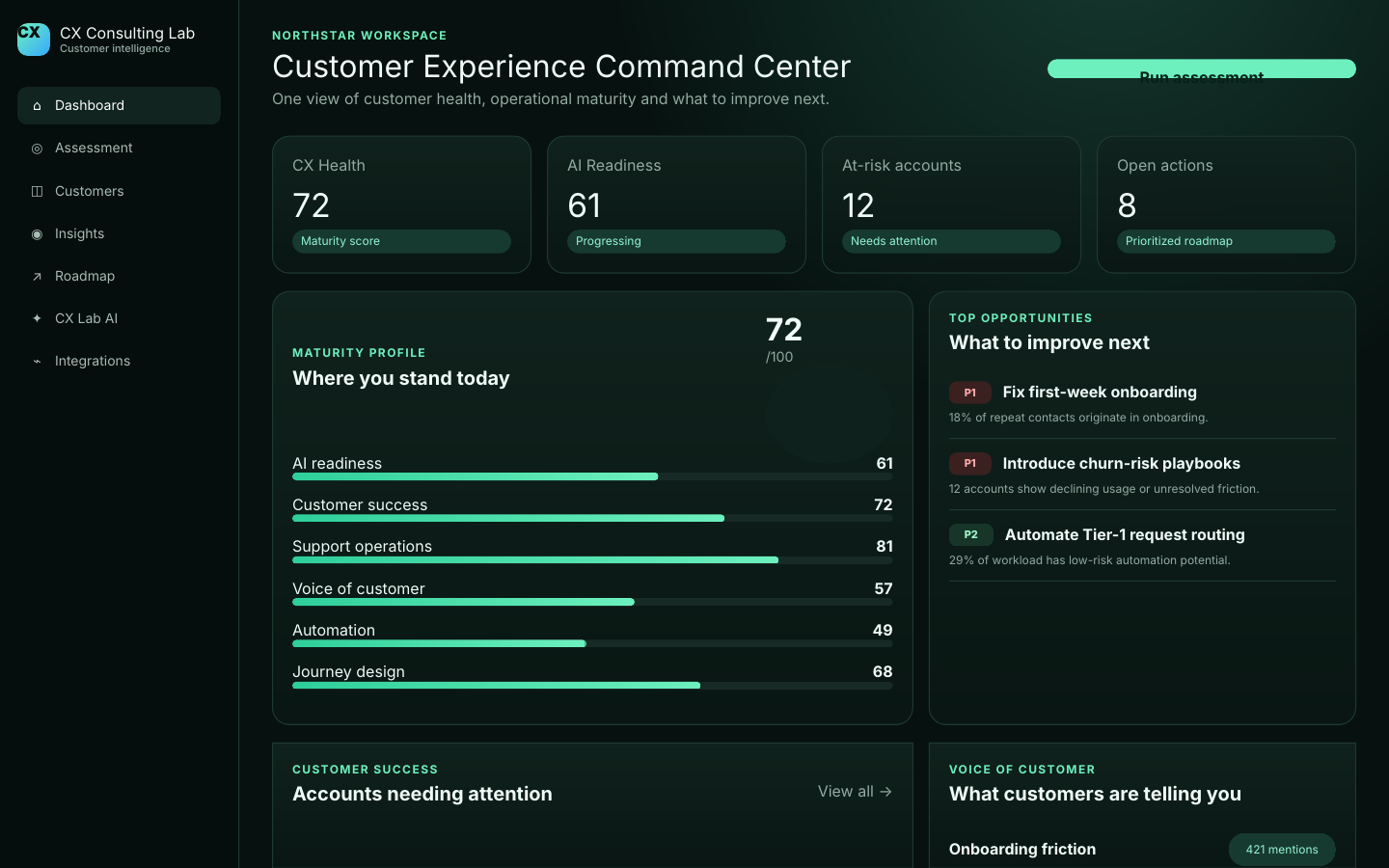
CX Lab is the product. Customer Health, Voice of Customer, CX Lab AI, AI Readiness and the Transformation Roadmap are the connected capabilities inside it.
Who needs attention, why risk is changing and where Customer Success should act.
02What customers repeatedly say across support, surveys, reviews and conversations.
03Ask business questions against your workspace and see the evidence behind the answer.
04Decide which workflows should automate, use AI assistance or remain human-led.
05Turn the diagnosis into owned, sequenced 30 / 60 / 90-day improvement work.
A customer can struggle with onboarding, contact Support, reduce product usage, stop replying to Customer Success and then churn. Those signals often belong to different teams — but they describe one experience.
Bring together usage, support, feedback, engagement and commercial context instead of reviewing them in isolation.
Move beyond a score or trend line. See the customer evidence behind risk, friction and emerging themes.
Separate symptoms from root causes and prioritize the changes with the strongest customer and business impact.
Translate diagnosis into owned actions, AI opportunities and a measurable 30/60/90-day improvement plan.
It starts earlier: usage declines, unresolved issues accumulate, engagement weakens and sentiment changes. CX Lab connects those signals so Customer Success can act while there is still time to change the outcome.
What the team sees: account recovery should happen now — not when the renewal conversation begins.
The challenge is scale. CX Lab structures tickets, chats, surveys and reviews into recurring themes so teams can see what customers keep telling them — and whether the signal is getting stronger.
“We got started, but it wasn’t clear what to do after inviting the team.”
When the same friction appears across support and feedback, it stops being “a few tickets.” It becomes an experience problem worth fixing.
Onboarding friction ↑ 18% this monthInstead of searching reports, ask CX Lab AI which customers need attention, why a metric changed, what customers are asking for or where AI can safely reduce work.
Answer: prioritize four renewal-risk accounts first. All four show declining usage alongside unresolved support friction.
Once CX Lab identifies the gaps, the roadmap turns them into sequenced work: foundations first, capability next, optimization after that.
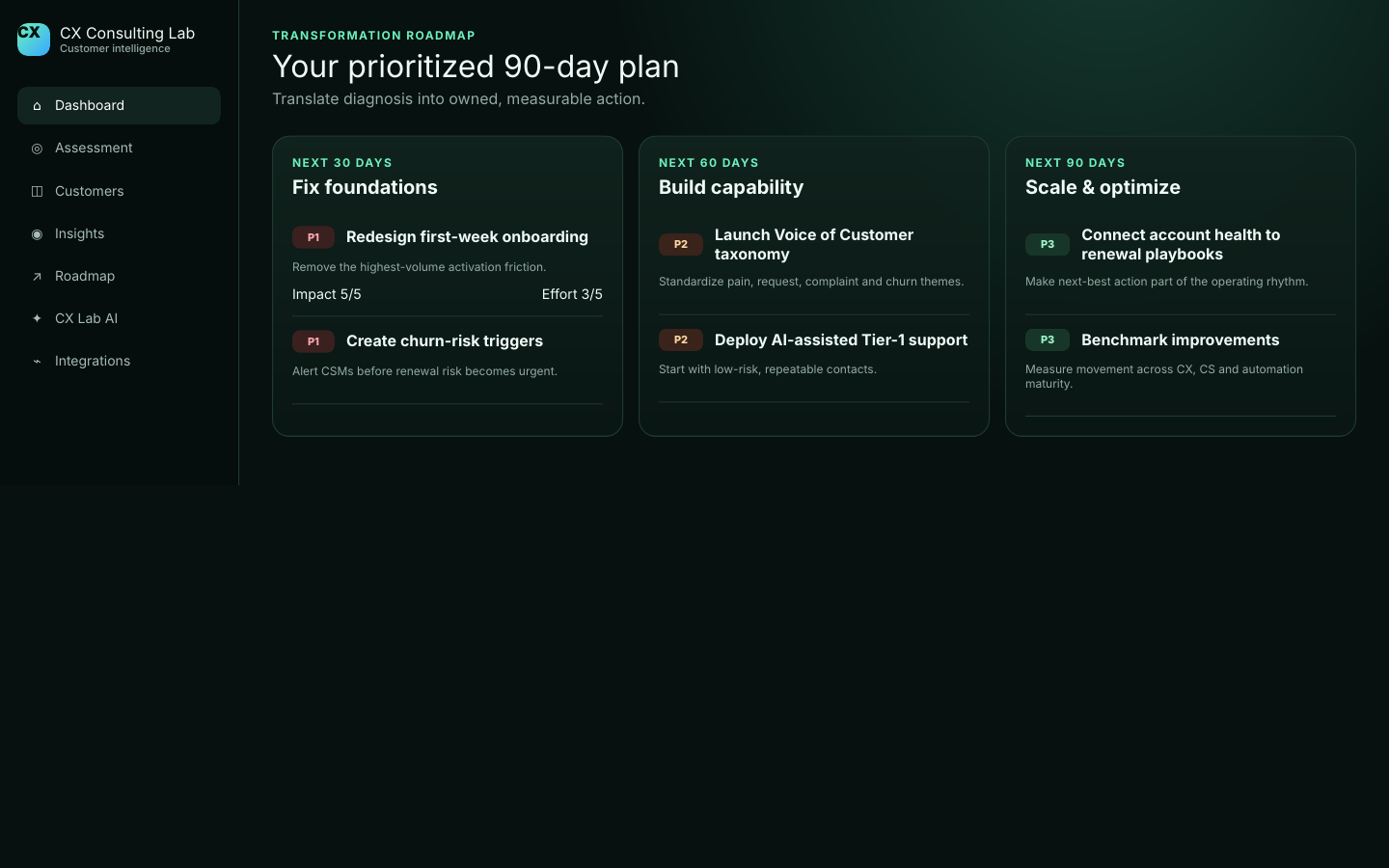
CX Lab can start with structured exports and mature into API or custom-connector implementations. The exact connection method depends on your systems, access model and operating requirements.
A customer experience intelligence platform brings together customer health, support, feedback, usage and operational signals so teams can identify friction, risk and opportunities and decide what action to take next.
The platform is designed to work with customer account data, support conversations, surveys, reviews, product usage, engagement, sentiment and renewal context. Data can be imported or connected through supported integrations.
No. The platform is designed for Customer Success, support, CX, operations, product and leadership teams that need a shared view of customer experience and risk.
Request the CX & AI assessment to establish a baseline, or work with us to diagnose the operation and turn the findings into an implementation plan.